Introduction
Welcome to the ultimate resource for everything you need to know about Dexcom, the revolutionary continuous glucose monitoring system. We pride ourselves on providing comprehensive and accurate information to help you make the most of your Dexcom experience. Whether you’re a seasoned Dexcom user or just getting started, this guide is designed to equip you with the knowledge and insights you need to optimize your glucose monitoring and take control of your health.
Understanding Dexcom: An Overview
Dexcom is a cutting-edge continuous glucose monitoring (CGM) system that empowers individuals with diabetes to monitor their blood glucose levels with unprecedented accuracy and convenience. This state-of-the-art technology consists of three main components:
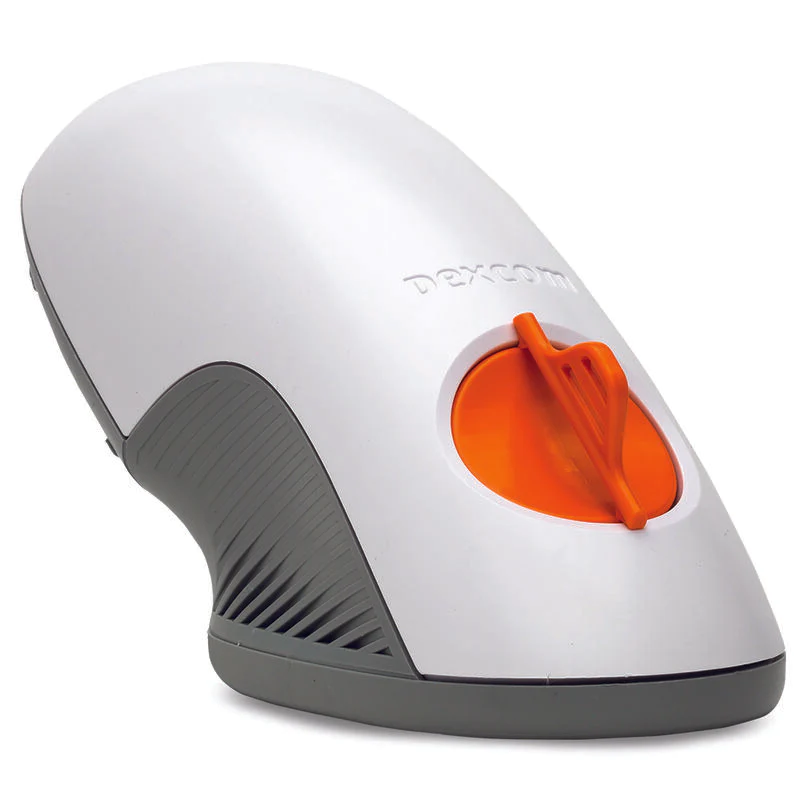
- Dexcom Sensor: The sensor is a small, discreet device that is placed just beneath the skin to measure glucose levels in the interstitial fluid. It is painlessly inserted using an applicator, and it continuously transmits real-time glucose readings to the receiver or mobile device.
- Dexcom Transmitter: The transmitter is a wireless component that securely communicates with the sensor and sends glucose data to the receiver or compatible smart device. It ensures reliable and uninterrupted data transmission for accurate monitoring.
- Dexcom Receiver/Smart Device: The receiver or smart device displays the glucose readings in real-time, allowing users to track their glucose levels throughout the day. It provides valuable insights, trend data, alerts, and notifications, enabling proactive diabetes management.
Key Benefits of Dexcom CGM
Dexcom CGM offers a range of benefits that set it apart from traditional glucose monitoring methods. Here are some key advantages:
1. Unparalleled Accuracy and Precision
Dexcom CGM utilizes advanced sensors and algorithms to provide highly accurate and precise glucose readings. This allows for more informed decision-making regarding insulin dosing, diet adjustments, and overall diabetes management.
2. Real-Time Data and Insights
With Dexcom CGM, you have access to real-time glucose data, eliminating the need for frequent fingerstick tests. The continuous monitoring empowers you to understand how your glucose levels change throughout the day, identify trends, and make timely adjustments to optimize your treatment plan.
3. Customizable Alerts and Notifications
Dexcom CGM offers customizable alerts and notifications to keep you informed about potential high or low glucose levels. These alerts can be tailored to your specific needs and preferences, ensuring you stay in control and take action when necessary.
4. Remote Monitoring and Sharing
One of the remarkable features of Dexcom CGM is the ability to share your glucose data with your healthcare provider or loved ones. This remote monitoring capability fosters a collaborative approach to diabetes management, enabling timely interventions and support.
5. Compatibility and Integration
Dexcom CGM seamlessly integrates with a wide range of insulin pumps, smart devices, and diabetes management apps. This compatibility enhances convenience and accessibility, allowing you to view your glucose data on your preferred platform.
Getting Started with Dexcom: Step-by-Step Guide
To help you embark on your Dexcom journey smoothly, we’ve outlined a step-by-step guide to getting started with Dexcom CGM:
Step 1: Consultation with Healthcare Provider
Before starting Dexcom CGM, it’s crucial to consult with your healthcare provider. They will evaluate your individual needs, provide guidance on proper device selection, and ensure Dexcom CGM aligns with your diabetes management plan.
Step 2: Dexcom Product Selection
Based on your healthcare provider’s recommendations, choose the Dexcom CGM system that best suits your needs. Dexcom offers various models, each with unique features and capabilities. Consider factors such as display options, compatibility with your existing devices, and personal preferences.
Step 3: Sensor Insertion and Initialization
Once you have your Dexcom CGM system, carefully follow the instructions provided in the user manual for sensor insertion. The sensor is typically placed on the abdomen, back of the arm, or another approved site. After inserting the sensor, initialize the system as per the manufacturer’s guidelines.
Step 4: Pairing with Receiver or Mobile Device
After sensor initialization, pair your Dexcom transmitter with the receiver or mobile device. Ensure that Bluetooth or other connectivity options are enabled on your chosen device. Follow the on-screen prompts to establish a secure connection between the transmitter and receiver.
Step 5: Familiarize Yourself with the Receiver/Smart Device Features
Take some time to explore the features and functionalities of the Dexcom receiver or smart device app. Familiarize yourself with the user interface, settings, and customization options available to tailor the CGM system to your specific requirements.
Step 6: Calibrate and Start Monitoring
Calibration is an essential step to ensure accurate glucose readings. Follow the calibration instructions provided by Dexcom, which typically involve entering blood glucose values using a fingerstick test. Once calibration is complete, you can start monitoring your glucose levels in real-time.
Tips for Maximizing Dexcom’s Potential
To unlock the full potential of Dexcom CGM and optimize your diabetes management, here are some valuable tips:
1. Regularly Review Your Data
Make it a habit to review your Dexcom CGM data regularly. Analyze trends, identify patterns, and discuss any concerns or questions with your healthcare provider. This practice will help you make informed decisions about insulin dosing, diet modifications, and lifestyle adjustments.
2. Set Personalized Alerts
Customize your Dexcom CGM system’s alerts and notifications to align with your individual needs and preferences. Set thresholds for high and low glucose levels that trigger alerts, ensuring you receive timely warnings when action is required.
3. Share Data with Healthcare Provider
Take advantage of Dexcom CGM’s data-sharing capabilities by regularly sharing your glucose data with your healthcare provider. This collaboration enables them to offer tailored guidance, adjust treatment plans, and monitor your progress more effectively.
4. Maintain Sensor Hygiene
Proper sensor hygiene is essential for accurate and reliable readings. Follow the manufacturer’s guidelines for cleaning and maintaining the sensor to ensure optimal performance and longevity. Regularly replace sensors as recommended to maintain accuracy.
Conclusion
Congratulations! You’ve now become acquainted with the wonders of Dexcom CGM and how it can revolutionize your diabetes management. By harnessing the power of accurate real-time data, customizable alerts, and seamless integration, Dexcom empowers you to take charge of your health and live life to the fullest.
Remember, the information provided in this comprehensive guide serves as a valuable resource to support your journey with Dexcom. However, always consult with your healthcare provider for personalized advice and guidance. Together, we can conquer the challenges of diabetes and unlock a brighter, healthier future.